





Google Sketchup Training in India
- Real-Time Experts Sessions
- LIVE Project
- Certification
- Affordable Fees
- Flexibility
- Placement Support
Google SketchUp’s intuitive interface enables users to swiftly generate precise models, leveraging a vast library of pre-built components or crafting custom elements. Its robust suite of features encompasses everything from basic shapes to intricate detailing, allowing for the meticulous representation of buildings, infrastructure, and urban layouts characteristic of tech clusters.
Moreover, SketchUp’s compatibility with various file formats streamlines collaboration across multidisciplinary teams, fostering efficient workflows and seamless integration with other design software and platforms.
In the context of tech cluster design, where innovation thrives on effective communication and visualization, Google SketchUp emerges as a cornerstone tool. Its accessibility and versatility empower designers to translate visionary concepts into tangible, immersive models that not only inspire but also inform strategic decision-making processes, ultimately shaping the dynamic landscapes of tomorrow’s technology hubs.
Applications
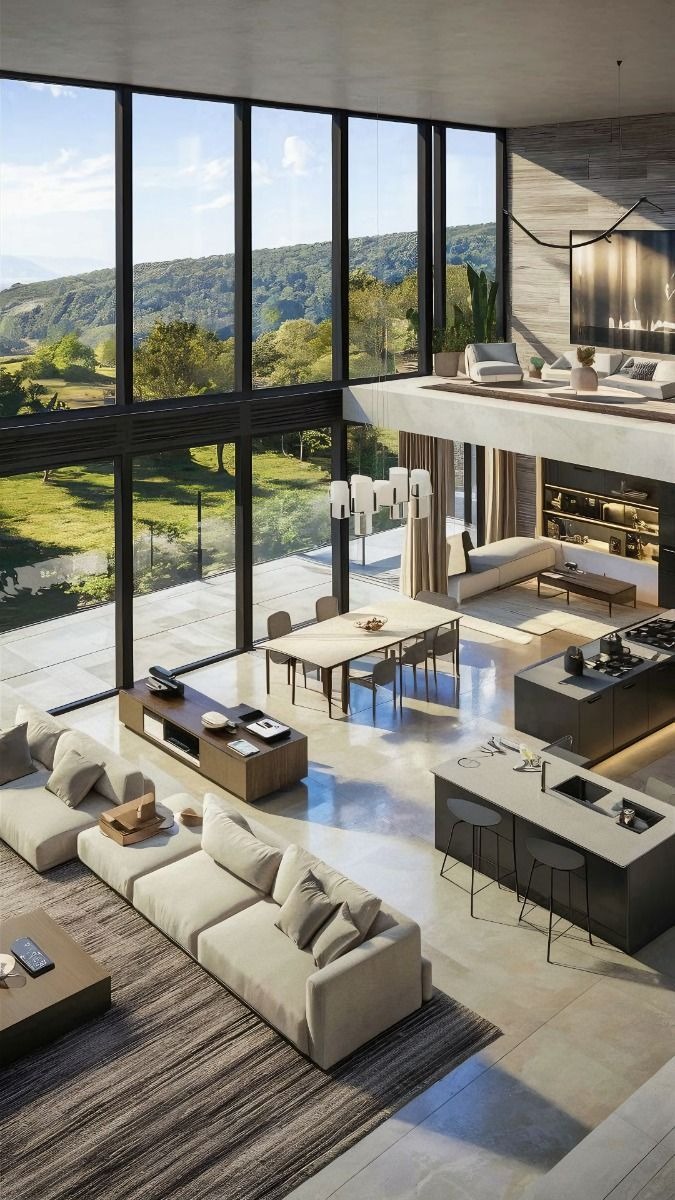
Google SketchUp is widely used in architectural design, interior design, landscape planning, urban development, civil engineering, and construction projects. It helps professionals create realistic 3D models, presentations, walkthroughs, and conceptual designs with ease. The software is extensively used by architects, interior designers, real estate developers, furniture designers, and engineering consultants for planning, visualization, and project coordination. Learning Google SketchUp opens career opportunities as a 3D Modeler, Architectural Designer, Interior Designer, Visualization Artist, and SketchUp Professional in India and abroad.
Civil
Course Highlights:
Google SketchUp Foundation
- Introduction to SketchUp Interface
- Drawing Tools & Navigation
- 2D to 3D Modeling Basics
- Groups & Components
- Push/Pull & Follow Me Tools
- Materials & Textures
- Import & Export Files
- Scenes, Styles & Tags
- Basic Interior & Exterior Modeling
- Dimensioning & Annotation
Google SketchUp Advanced
- Advanced 3D Modeling Techniques
- Complex Furniture & Object Modeling
- Landscape & Site Modeling
- Dynamic Components
- Advanced Material & Texture Mapping
- Lighting & Shadow Settings
- Rendering with V-Ray
- Walkthrough Animation
- Layout for Construction Drawings
- Project Presentation & Model Optimization
Course Duration: 45 Days
Google SketchUp Design Projects by Students
Student testimonials
Why Choose Tech Cluster?
At Tech Cluster, learning goes beyond classrooms. Our programs are designed to match current industry requirements and prepare students for real job roles.
What Makes Us Different
- Years of experience in design education
- Strong industry connections
- Professional portfolio development
- Practical + career‑focused training model
- Portfolio Creation
- National & International Workshops
- Expert Training on AI Tools
- Proven success stories
- Certification after course completion
- Industry‑experienced trainers
- 100% practical & project‑based learning
- Portfolio & resume building support
- Flexible batch timings
- Placement & internship assistance
- Advance Sessions on Personality Development, Communication Skills, Mockdrill Placement
- Expert Training on AI Tools
- Professional portfolio development
Frequently Asked Question(FAQs)
Yes, this is a professional certification course. You will receive a recognized certificate after completion.
The course duration is 3 to 6 months, depending on the level (basic to advanced).
Yes, Tech Cluster provides free demo classes so you can understand the teaching style, course structure, and interact with trainers before enrolling.
Tech Cluster provides 100% placement assistance, including resume building, portfolio creation, interview preparation, and job referrals.
However, placement depends on your skills, performance, and interview results.
Yes, the training includes live projects and real-world case studies, helping you gain practical experience and build a strong portfolio.
Yes, Tech Cluster conducts national and international workshops, allowing students to learn from industry experts and stay updated with the latest trends.
Start Your Career in 3D Design & Visualization Today
Build practical AutoCAD skills with industry-focused training and placement support.
Book Your Free Demo Class Today
Limited Seats Available