Tech Cluster Design Wala - Courses, Placement & Registration

Author name: Krinjal Keshri

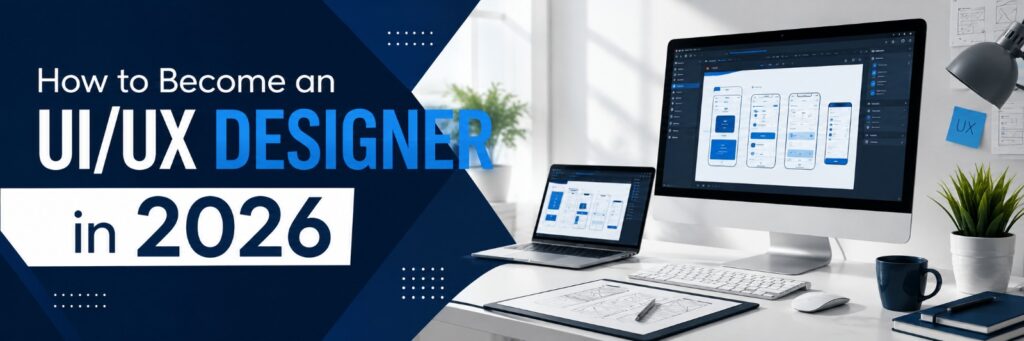
How to Become a UI/UX Designer in 2026, featuring a modern design workspace with UI wireframes displayed on computer screens.

Become a UI/UX Designer in 2026 | Step-by-Step Guide

Have you ever used an app and thought, “This is so easy to use”? That is how to become a UI/UX designer at work. Every time you scroll through an app. It feels smooth every button that feels just right every checkout page that does not make you want to throw your phone. Someone designed that experience on purpose. If you are a person if you are curious about how people think and if you enjoy solving problems how to become a UI/UX designer might be the career you have been looking for. The best part is that you do not need a degree to get started with how to become a UI/UX designer. You need the skills, the right tools and a bit of guidance. Let us break down how to become a UI/UX designer, step by step and learn how to become a UI/UX designer.  What Does a UI/UX Designer Do? Before we start let us clear up some confusion about how to become a UI/UX designer. UI (User Interface) is about how a product looks. Colours, typography, buttons, layout. UX (User Experience) is about how a product feels. How easy and satisfying it is to use. A UI/UX designer researches users sketches ideas builds wireframes designs interfaces and tests everything to make sure it actually works for people and that is how to become a UI/UX designer.  Step 1: Understand the Basics of Design Thinking Start with design fundamentals. Colour theory, typography, spacing and visual hierarchy. Learn the “Design Thinking” process: Empathize, Define, Ideate, Prototype and Test. This mindset is the foundation of everything you will do as a UI/UX designer when you learn how to become a UI/UX designer. Step 2: Learn User Research and Psychology Great design is not about what looks nice to you. It is about what works for your users when you learn how to become a UI/UX designer. Learn how to conduct user interviews create user personas and map user journeys. Understanding human psychology helps you predict how people will react to your designs when you become a UI/UX designer.  Step 3: Master the Right Tools You will need hands-on skills in industry- tools like: – Figma – for wireframing, prototyping and collaboration – Adobe XD – for interface design and prototyping – Canva – for quick visual assets – Photoshop & Illustrator – for advanced graphics and icons Tool knowledge alone will not make you a UI/UX designer but it is the bridge between your ideas and a real clickable product when you learn how to become a UI/UX designer.  Step 4: Practice Wireframing and Prototyping Start small. Redesign an app you use daily. Sketch low-fidelity wireframes on paper then move to Figma to build prototypes. This hands-on practice is where real learning happens, more than just watching tutorials and that is how to become a UI/UX designer. Step 5: Build a Strong Portfolio Your portfolio is your resume as a UI/UX designer. Include 3–5 solid case studies showing your process. The problem, your research, wireframes, final design and the outcome. Recruiters care more about your thinking process than a “screen when you become a UI/UX designer. Step 6: Get Certified and Learn from Experts Self-learning is great. Structured guidance speeds things up massively. A good course teaches you industry workflows gives you projects and connects you with mentors who have actually worked in the field. Cutting your learning curve from years to months when you learn how to become a UI/UX designer. Step 7: Apply for Internships and Freelance Projects Real-world experience is priceless. Apply for internships take up small freelance UI/UX projects or redesign concepts for businesses. This builds confidence. Gives you actual client-facing experience to show employers when you become a UI/UX designer. Skills That Make You Stand Out – visual and layout sense – Empathy and user-first thinking – Basic knowledge of HTML/CSS (helps you talk to developers) – Communication and storytelling skills – Attention to detail  Career Scope of UI/UX Design in India With businesses going digital faster than ever UI/UX designers are in massive demand across startups, IT companies and agencies in cities like Indore, Bangalore and Pune. Entry-level UI/UX designers in India typically start with a salary and with 2-3 years of experience this can grow significantly. Especially if you specialize in product design or research and that is how to become a UI/UX designer. Conclusion Becoming a UI/UX designer is absolutely achievable if you follow the path. Learn the fundamentals master the tools build real projects and keep practicing how to become a UI/UX designer.. The fastest most reliable way to go from beginner to job-ready is with structured mentorship and hands-on training. That is what Tech Cluster  institute offers. As one of the institutes for UI/UX design, digital marketing and graphic design courses Tech Cluster gives you practical project-based learning, expert mentors and real portfolio-building support. Everything you need to launch your design career with confidence when you become a UI/UX designer. If you are serious about becoming a UI/UX designer this is the place to start and learn how to become a UI/UX designer.  Frequently Asked Questions (FAQs) Do I need a degree to become a UI/UX designer? No. UI/UX design is a skill-based field. A strong portfolio and practical knowledge matter more than a formal degree when you learn how to become a UI/UX designer. How long does it take to become a UI/UX designer? With learning and consistent practice most beginners can become job-ready in 4 to 6 months when they learn how to become a UI/UX designer. Which tools should I learn first for UI/UX design? Start with Figma. It is the widely used tool in the industry today followed by Adobe XD and Photoshop and that is how to become a UI/UX designer. Is coding necessary for UI/UX design? Not compulsory,. Basic HTML/CSS knowledge helps you communicate better with developers and understand technical limitations when you become a UI/UX designer. What is the difference between UI

Become a UI/UX Designer in 2026 | Step-by-Step Guide Read More »

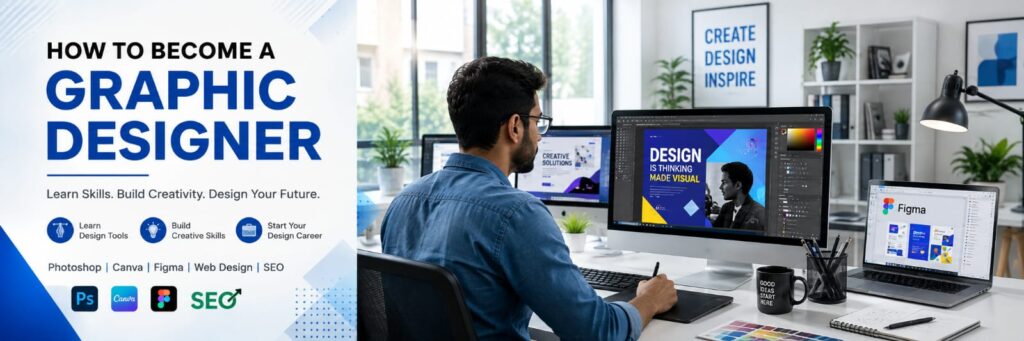
How to become a graphic designer through practical graphic design course training with Photoshop, Canva and Figma

Become a Graphic Designer Complete Beginner’s Guide

Have you ever seen an Instagram post and thought, “How did they make this look so good?” The colours feel right. The fonts look clean. Nothing feels crowded. And somehow, you understand the message within seconds. That is the power of good graphic design. What Does a Graphic Designer Do? A graphic designer uses visual elements to communicate a message. That could mean promoting a product, building a brand identity, explaining information, or simply helping a business communicate more effectively. A graphic designer may create: Social media posts Logos Brand identities Posters Brochures Advertisements Packaging Website graphics YouTube thumbnails Presentations Infographics Marketing creatives But graphic design isn’t simply about making something “look attractive.” There is a problem behind almost every design. For example, imagine a restaurant launching a new food offer. The designer has to decide: What should people notice first? Which information is most important? What colours match the brand? Which font is easy to read? Where should the offer appear? What action should the customer take? That’s where design thinking comes in. Graphic design combines creativity with communication and problem-solving. How to Become a Graphic Designer? Step 1: Learn the Fundamentals of Graphic Design Before opening Photoshop or Illustrator, understand what makes a design work. Colour Theory Colour isn’t just decoration. It affects how a design feels and how information is understood. Start with: Primary and secondary colours Complementary colours Colour harmony Contrast Brand colours Basic colour psychology You don’t need to memorise every colour rule. You need to understand why a particular colour combination works for a particular audience and purpose. Typography A font can completely change the personality of a design. But choosing fonts isn’t enough. Learn about: Font families Font pairing Font size Line height Letter spacing Hierarchy Readability A stylish font that nobody can read isn’t a good design. Simple. Layout and Composition Now think about arrangement. Where should the headline go? How much space should exist between elements? What should align with what? Important concepts include: Alignment Balance Spacing Grids Proportion White space Contrast Visual hierarchy Visual Hierarchy Here’s a useful question: What should the viewer see first, second, and third? If everything is equally large, bold, and colourful, nothing has priority. Good design guides attention. Step 2: Learn Graphic Design Software Once your fundamentals are clear, start learning design software. Some commonly used tools include: Software Common Uses Adobe Photoshop Photo editing, advertisements, social media creatives Adobe Illustrator Logos, icons, vector graphics Adobe InDesign Brochures, magazines and print layouts CorelDRAW Print and vector design Figma UI design and digital interfaces Canva Quick social media and marketing designs Step 3: Practise by Creating Real Projects This is where many beginners get stuck. They watch tutorial after tutorial. They understand the process while watching. Then they open Photoshop alone and think: “What should I design now?” That’s the problem. Watching tutorials is not the same as designing. Start creating projects yourself. Try: Restaurant social media campaigns Clothing brand logos Product advertisements Event posters YouTube thumbnails Instagram carousels Brand identity projects Packaging designs Promotional banners You don’t need a real client. Create fictional brands. Step 4: Learn to Think Like a Designer Here’s a common beginner mistake: Opening Photoshop before deciding what the design needs to communicate. Reverse that process. Before designing, ask: Who is the audience? What is the purpose? What message should people remember? What action should they take? Where will the design be used? What personality should the brand communicate? Think first. Design second. A professional designer isn’t simply someone who knows software. A professional designer knows how to solve a visual communication problem.   Step 5: Build a Professional Graphic Design Portfolio Your portfolio is one of the most important things you can build. A certificate shows that you completed training. A portfolio shows what you can actually do. That’s a major difference. Instead of uploading every design you’ve ever created, select your strongest work. A beginner portfolio could include: 2–3 branding projects 3–5 social media designs 2 advertising projects 1 packaging project 1 poster campaign 1 typography project 1 personal creative project Don’t just show the final image. For your strongest projects, explain: Problem → Idea → Design Process → Final Design This gives employers an understanding of how you think. What Skills Do You Need to Become a Graphic Designer? A job-ready graphic designer needs more than creativity. Creative Skills Visual thinking Creativity Colour sense Typography Composition Concept development Attention to detail Visual storytelling Technical Skills Photoshop Illustrator Vector design Image editing Digital design Print design Basic branding File preparation Professional Skills Communication Time management Understanding briefs Problem-solving Handling feedback Meeting deadlines Presenting ideas   Do You Need a Degree to Become a Graphic Designer? Not necessarily. A degree in design, fine arts, or a related field can provide structured education. But it isn’t the only route into graphic design. People also enter the field through: Professional courses Certifications Self-learning Internships Freelancing Practical projects Portfolio development Career Options After Learning Graphic Design Graphic design can lead to different career paths. Graphic Designer Creates visual communication for brands, businesses, agencies, and organisations. Brand Identity Designer Works on: Logos Colour systems Typography Brand guidelines Visual identity Social Media Designer Creates visual content for platforms such as Instagram, Facebook, LinkedIn, and YouTube. Advertising Designer Creates graphics for marketing campaigns and advertisements. Packaging Designer Works on product packaging, labels, boxes, and related visual communication. Motion Graphics Designer Combines graphic design with animation and movement. Freelance Graphic Designer Works directly with clients and manages projects independently. You don’t have to choose your specialisation immediately. Start with the fundamentals. Then see what type of work you enjoy most. can also complement careers in digital marketing, branding, social media marketing, content creation, UI/UX, and video production. l observation. Conclusion If you’re considering professional training, For learners in Indore, Tech Cluster can be considered as one option for structured graphic design training, especially if you’re looking for practical learning and career-oriented guidance.  FAQs  1. How can

Become a Graphic Designer Complete Beginner’s Guide Read More »

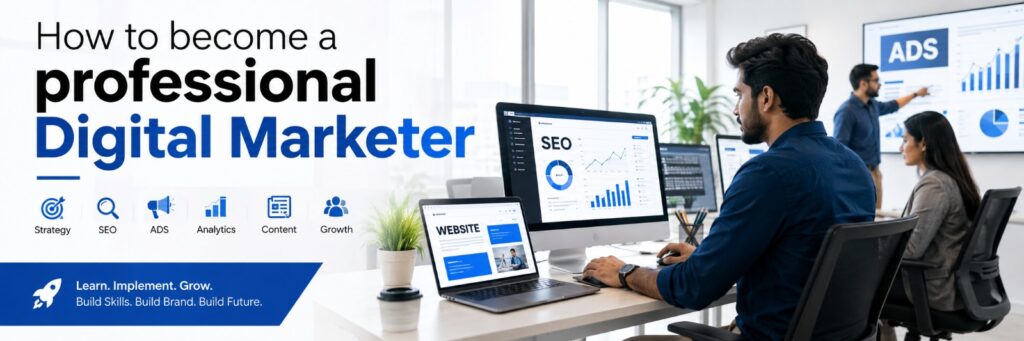
Premium digital marketing studio with marketers working on SEO, ads, social media, content, and analytics

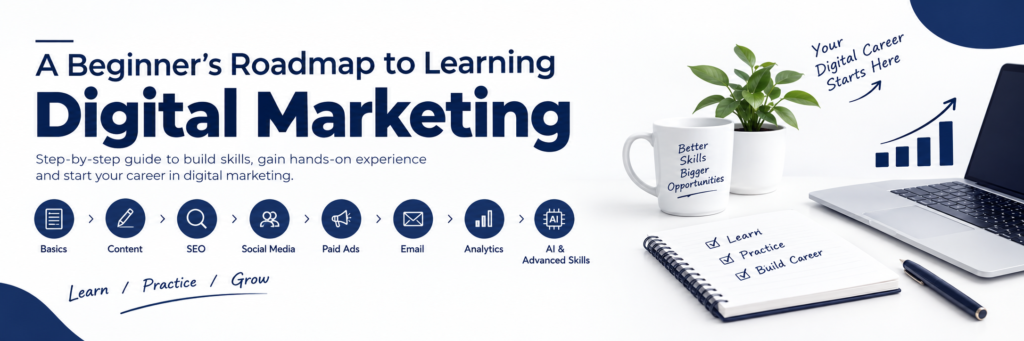
How to Become a Digital Marketer in 2026

How to Become a Professional Digital Marketer in 2026: Complete Career Guide Imagine you search Google for a pair of shoes. A few minutes later, you open Instagram and see the same brand in your feed. Later that evening, a similar ad appears while you’re watching YouTube. You might think, “How does this brand keep finding me online?” That’s digital marketing in action. Behind those ads, search results, social media posts, emails, and websites are people who plan campaigns, create content, study customer behaviour, and track results. Their job isn’t simply to promote a product. They have to understand what people want and figure out how to reach the right audience. What Does a Digital Marketer Do? A digital marketer helps a business attract and engage customers through online channels. Depending on the role, a digital marketer may: Improve a website’s visibility on search engines Manage social media content Create and optimize paid advertising campaigns Write blogs, website content, and ad copy Plan email campaigns Analyse website and campaign data Generate leads Test different marketing strategies For example, imagine a local café wants more customers from its neighbourhood. A digital marketer might optimize its Google presence, create Instagram content, run a local advertising campaign, and then analyse which activities are bringing people to the business. That’s why digital marketing combines creativity, communication, technology, and data. Why Choose Digital Marketing as a Career? Digital marketing can suit people who enjoy both creative and analytical work. Another advantage is that there isn’t just one path into the industry. Depending on the role and employer, practical skills, experience, certifications, education, and a strong portfolio can all play a part. You can specialize in areas such as: SEO Social media marketing Paid advertising Content marketing Email marketing Marketing analytics Influencer marketing E-commerce marketing You can also work in different environments. Some professionals join agencies or in-house marketing teams, while others build careers through freelancing or independent consulting. The field is changing quickly, too. AI, short-form video, creator marketing, automation, e-commerce, and data-driven advertising are changing how businesses communicate with customers. That creates opportunities, but it also means marketers need to keep learning. Core Skills You Need to Become a Digital Marketer You don’t need to master every marketing skill before getting started. A better approach is to understand the major areas first and then decide where you want to go deeper. 1. Search Engine Optimization (SEO) SEO helps websites gain visibility in organic search results. Some important areas include: Keyword research Search intent On-page SEO Technical SEO Internal linking Content optimization Link building Organic performance analysis SEO isn’t simply about adding keywords to a page. You also need to understand what people are searching for and whether the content actually satisfies their needs. 2. Social Media Marketing Social media marketers plan and manage content across platforms such as Instagram, LinkedIn, Facebook, and YouTube. Their work can involve: Content calendars Reels and short-form videos Carousels Captions Community engagement Social media analytics Campaign planning A common beginner mistake is focusing only on follower numbers. Followers can be useful, but the real question is: What is the content helping the business achieve? Depending on the campaign, that could mean awareness, engagement, leads, website visits, or sales. 3. Paid Advertising Paid advertising allows businesses to reach selected audiences through platforms such as Google Ads and Meta Ads. A paid advertising specialist may handle: Campaign setup Audience targeting Ad copy Creative testing Budget management Conversion tracking Performance optimization There is a difference between knowing how to create an ad and knowing how to manage an effective campaign. A good paid marketer looks at the numbers, tests different approaches, and makes decisions based on performance. 4. Content Marketing and Copywriting Content appears across almost every part of digital marketing. You might create: Blog articles Website copy Social media posts Landing pages Email campaigns Video scripts Advertisement copy Good content starts with understanding the audience. What problem are they trying to solve? What information are they looking for? What would make them trust a business? The writing comes after those questions. 5. Email Marketing and Automation Email marketing helps businesses communicate with potential and existing customers. Common activities include: Newsletters Welcome emails Promotional campaigns Lead nurturing Customer segmentation Automated workflows Performance reporting Career Opportunities in Digital Marketing   SEO Executive Social Media Manager PPC Specialist Content Marketer Email Marketing Specialist Digital Marketing Analyst Digital Marketing Manager Freelancer Is Digital Marketing a Good Career in 2026? It can be, particularly if you enjoy learning and adapting. Digital advertising, social media, video, e-commerce, analytics, and AI are continuing to influence how businesses reach customers. That means there is demand for digital skills, but there is also competition among people entering the field. So here’s the part beginners shouldn’t ignore: Completing a course does not guarantee a job. Employers still want people who can understand an audience, solve marketing problems, use tools properly, communicate clearly, and show what they have achieved. Conclusion Tech Cluster Design Wala is one option for learners looking for structured digital marketing training with practical, project-based learning.  Frequently Asked Questions 1. Do I need a degree to become a digital marketer? Not necessarily. Digital marketing has multiple entry routes. Depending on the employer and role, practical skills, experience, certifications, education, and a portfolio can all matter. 2. How long does it take to learn digital marketing? There is no fixed timeline. A focused beginner can learn the fundamentals within a few months, but becoming proficient requires continued practice and real project experience. 3. Which digital marketing skill should I learn first? Start with the fundamentals before choosing a specialization. Explore SEO, content, social media, paid advertising, and analytics, then decide which area best matches your interests and career goals. 4. Is digital marketing a good career in 2026? It can be a good career for people willing to keep learning. Businesses continue to use digital channels such as search, social media, video, e-commerce, and online advertising to reach customers.

How to Become a Digital Marketer in 2026 Read More »

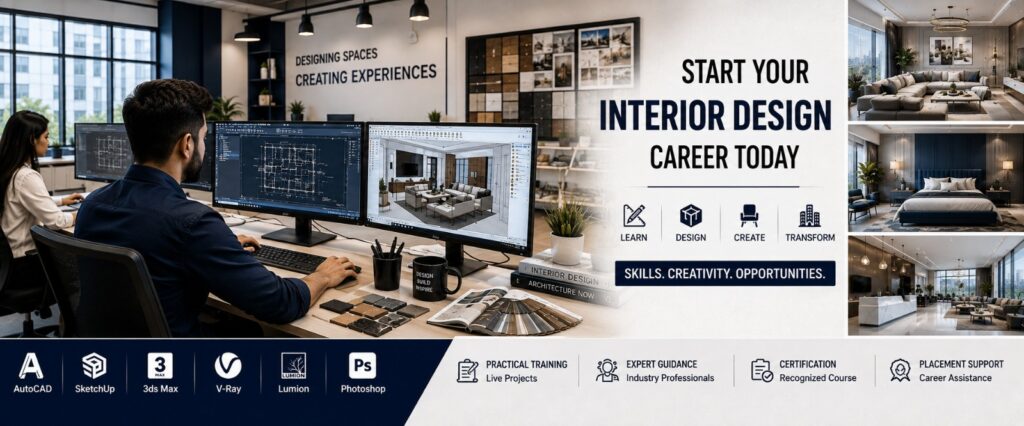
Interior design students learning AutoCAD and SketchUp while creating modern residential and commercial interior designs.

How to Start an Interior Design Career | Beginner Guide

If you’re asking yourself, “How I start my career in interior designing from scratch?”, you’re not alone. Thousands of students, fresh graduates, and career changers have the same question. In this guide, you’ll learn everything from the basics of interior design to the skills, software, career opportunities, and how to choose the Best Interior Design Institute in Indore to begin your journey. What is Interior Design? Simple Definition Interior Design is the art and science of planning, designing, and improving indoor spaces to make them functional, comfortable, safe, and visually appealing. An interior designer doesn’t just choose colors or furniture. They carefully plan layouts, lighting, materials, furniture placement, and décor to create spaces that meet the client’s needs. Why Choose Interior Designing as a Career? Interior design is one of the fastest-growing creative professions. As cities expand and people invest more in homes and commercial spaces, the demand for skilled interior designers continues to increase. Here are some reasons why students choose this career: Creative and rewarding work Growing demand in residential and commercial projects Opportunities to work with architects and builders Freelancing and business opportunities Competitive earning potential Chance to create spaces that improve people’s lives If you enjoy creativity, problem-solving, and working with people, interior designing can be a fulfilling career. How I Start My Career in Interior Designing from Scratch Starting from zero may seem challenging, but it becomes manageable when you follow a clear roadmap. Step 1: Understand What Interior Designers Do Before enrolling in a course, learn about the profession. Interior designers work on: Space planning Furniture layouts Lighting design Color selection Material selection False ceiling design Modular kitchen planning Wardrobe design 3D visualization Client presentations Understanding these responsibilities will help you decide if this career matches your interests. Step 2: Learn the Fundamentals of Interior Design Every successful designer starts with the basics. You’ll learn: Design principles Color theory Space planning Texture and materials Furniture design Building measurements Design concepts Client requirements These fundamentals form the foundation of every project. Step 3: Learn Industry-Standard Software Modern interior designers use professional software to create accurate drawings and realistic 3D designs. A quality Best Interior Design Training Institute should teach: AutoCAD SketchUp 3ds Max V-Ray Lumion Revit (optional) Photoshop (for presentations) Software skills make your ideas easier to communicate with clients and contractors. Step 4: Practice with Real Projects The best way to improve is by working on practical assignments. Start designing: Bedroom layouts Living rooms Modular kitchens Office interiors Café concepts Retail stores Small apartments Each project helps you build confidence and develop your design style. Step 5: Build a Strong Portfolio Your portfolio is one of the most important tools for getting hired. Include: 2D floor plans 3D renders Mood boards Furniture layouts Lighting plans Material boards Before-and-after concepts Residential and commercial projects A well-organized portfolio showcases your creativity and technical skills. Step 6: Complete an Interior Design Course Choose an institute that focuses on practical learning rather than theory alone. Look for: Live projects Experienced faculty Updated software training Portfolio development Industry exposure Certification Placement assistance Step 7: Apply for Internships Internships allow you to work on real client projects and understand how the industry operates. You’ll learn: Client communication Site visits Material selection Vendor coordination Budget planning Project execution This experience can make your transition into a full-time role much smoother. Step 8: Start Your Professional Career Once you’ve completed your training and built your portfolio, you can apply for roles such as: Interior Designer Junior Interior Designer 3D Visualizer CAD Designer Space Planner Furniture Designer Design Consultant Some professionals also choose to freelance or start their own design studio after gaining experience. Essential Skills Every Interior Designer Needs To succeed in this field, you should develop both creative and technical skills. Creative Skills Space planning Color coordination Design visualization Creativity Attention to detail Technical Skills AutoCAD drafting 3D modeling Rendering Material knowledge Measurement accuracy Furniture planning Soft Skills Communication Time management Client handling Problem-solving Teamwork Presentation skills Career Opportunities in Interior Design After completing an Interior Design Course, you can apply for various roles based on your interests and expertise. Interior Designer Plans and designs residential, commercial, and hospitality spaces while coordinating with clients and contractors. Residential Interior Designer Specializes in homes, apartments, villas, modular kitchens, bedrooms, and living spaces. Commercial Interior Designer Designs offices, coworking spaces, shopping malls, retail outlets, and corporate environments. 3D Visualizer Creates realistic 3D models and renders to help clients visualize the final design before construction begins. Furniture Designer Designs custom furniture that combines aesthetics, comfort, and functionality. Space Planner Optimizes layouts to improve movement, functionality, and space utilization. Interior Design Consultant Provides expert advice on materials, lighting, furniture, and design concepts for clients and businesses. Common Mistakes Beginners Make Starting an Interior Design Career is exciting, but many beginners make avoidable mistakes. Ignoring Design Fundamentals  Learning Only One Software  Not Building a Portfolio  Overlooking Practical Experience  Following Trends Without Understanding Client Needs    Why Choose TECH CLUSTER? If you’re looking for the Best Interior Design Institute in Indore, TECH CLUSTER focuses on practical learning and industry-ready skills. Highlights Practical, project-based training Experienced industry trainers Modern computer labs Training on AutoCAD, SketchUp, 3ds Max, V-Ray, and other industry software Portfolio development Live project exposure Interview preparation Resume-building sessions Industry-recognized certification Placement assistance Conclusion Starting an Interior Design Career may seem challenging at first, but every successful designer begins with the same first step—learning the right skills and gaining practical experience. Tech Cluster offers practical Interior Design training designed to help students develop industry-ready skills through hands-on learning, portfolio development, certification, and placement assistance. If you’re looking to build a successful career in interior design, exploring their program can be a valuable first step.   1. How do I start an Interior Design career with no experience? Start by learning the fundamentals of interior design, enroll in a professional course, master industry-standard software, build a portfolio, and gain practical experience through internships or live projects. 2. Who

How to Start an Interior Design Career | Beginner Guide Read More »

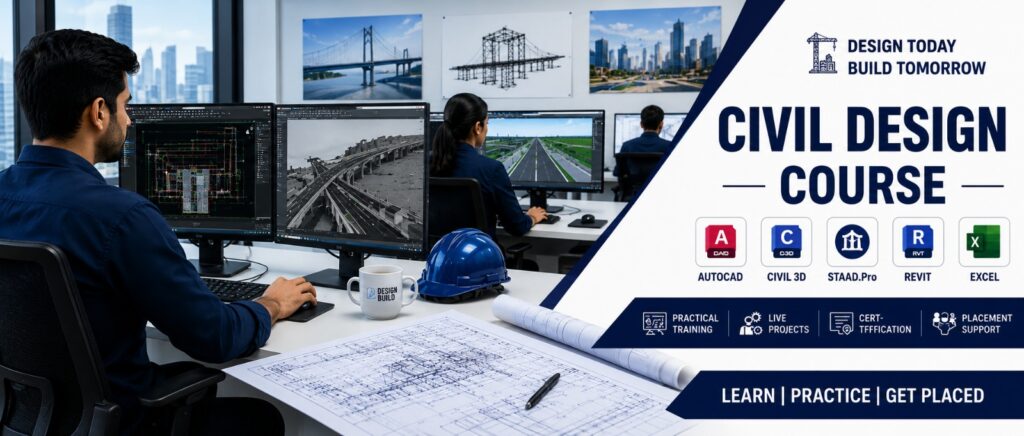
Civil Design course students learning AutoCAD and Civil 3D software in a modern training lab

Civil Design Course in Indore | Best Civil Design Institute

Civil Design Course in Indore – Complete Guide to Build a Successful Career Have you ever looked at a tall building, a modern bridge, or a well-planned highway and wondered, “Who designed this?” Every strong structure starts with a smart design. Before engineers begin construction, Civil Designers prepare detailed drawings, plans, and  that help turn ideas into reality. Today, the demand for skilled Civil Designers is growing rapidly. Construction companies, infrastructure projects, real estate developers, and government organizations all need professionals who understand modern civil design software and industry standards. If you’re a student, diploma holder, engineering graduate, or someone looking for a practical career, choosing the right Civil Design course can open the door to exciting opportunities. In this complete guide, you’ll learn everything about Civil Design, the skills you’ll gain, career options, software you’ll use, and how to choose the best institute for Civil Design in Indore. What is Civil Design? Civil Design is the process of planning and designing buildings, roads, bridges, drainage systems, highways, and other infrastructure using engineering principles and computer software. Think of it like this: An architect creates the idea. A Civil Designer converts that idea into detailed technical drawings that engineers and contractors can build. Without proper civil design, construction projects can face delays, increased costs, and safety issues. Why is Civil Design Important? It would be confusing, risky, and expensive. Civil Design helps ensure that every project is: Safe Accurate Cost-effective Environment-friendly From residential homes to airports, almost every infrastructure project depends on civil design. Who Should Join a Civil Design Course? A Civil Design course with certificate is suitable for many learners. You can join if you are: 12th pass  Polytechnic Diploma student Civil Engineering student B.Tech Civil graduate Site Engineer Working professional looking to upskill Job seeker interested in the construction industry Even beginners with basic computer knowledge can start learning if the course is designed from fundamentals. What Will You Learn in a Civil Design Course? A professional Civil Design course focuses on practical, industry-ready skills rather than just theory. Technical Skills 2D Drafting 3D Civil Modeling Site Planning Structural Drawings Road Design Highway Design Drainage Layout Quantity Estimation Survey Data Interpretation Construction Documentation Software Skills Most institutes teach popular industry software such as: AutoCAD Civil 3D STAAD.Pro Revit Structure 3ds Max (basic visualization) MS Excel for estimation Project Planning basics These tools are widely used by construction companies and infrastructure firms. Benefits of Learning Civil Design Learning Civil Design is more than just mastering software. It equips you with practical skills that employers actively seek. 1. High Demand Across Industries Infrastructure development is growing rapidly in India. Smart cities, highways, metro rail projects, residential townships, and commercial buildings all require skilled Civil Designers. Industries hiring Civil Designers include: Construction companies Real estate developers Infrastructure firms Architectural consultancies Government projects Highway and bridge contractors Survey companies Industrial plant design firms 2. Practical Skills That Employers Value Unlike purely theoretical education, a Civil Design course focuses on real-world projects. You’ll gain experience in: Preparing construction drawings Site planning Structural detailing Road alignment Quantity estimation Layout planning These skills make you job-ready from day one. 3. Better Career Opportunities Many civil engineering graduates struggle to find jobs because they lack software knowledge. A professional Civil Design course with certificate helps bridge this gap by combining engineering concepts with practical training. 4. Strong Salary Growth Professionals with software expertise often receive better opportunities than those with only theoretical knowledge. As your experience and project portfolio grow, so can your earning potential. 5. Opportunities in India and Abroad Countries investing heavily in infrastructure—such as the UAE, Saudi Arabia, Qatar, Canada, and Australia—often seek professionals skilled in industry-standard civil design software. Career Opportunities After a Civil Design Course After completing your training, you can apply for roles such as: Civil Designer Creates detailed engineering drawings and layouts for construction projects. CAD Draftsman Prepares accurate technical drawings using AutoCAD and related software. Structural Draftsman Develops structural plans for buildings, bridges, and industrial structures. BIM Modeler Builds intelligent 3D models that integrate design, construction, and project data. Site Planning Engineer Supports project execution by preparing layouts, site plans, and construction documentation. Quantity Estimation Engineer Calculates material quantities, project costs, and budgets before construction begins. Highway Design Technician Works on road alignments, intersections, and transportation infrastructure using Civil 3D. Industries That Hire Civil Designers Professionals trained in Civil Design can find opportunities in: Construction companies Infrastructure development firms Smart City projects Metro rail projects Highway authorities Bridge construction companies Real estate developers Industrial manufacturing plants Urban planning consultancies Government engineering departments Why Choose TECH CLUSTER for a Civil Design Course? If you’re looking for the Best institute for Civil Design in Indore, TECH CLUSTER is a strong choice because it emphasizes practical, industry-oriented training. Industry-focused curriculum Hands-on software training Live project experience Experienced trainers Updated computer labs Interview preparation Resume-building support Portfolio development Civil Design course with certificate Placement assistance Conclusion The construction and infrastructure industry continues to create opportunities for professionals with practical design skills. A well-structured Civil Design course can help you move beyond theory and develop the software expertise employers look for. If you’re searching for a Civil Design course in Indore, prioritize institutes that provide: Practical software training Live project experience Industry-relevant curriculum Certification Placement assistance TECH CLUSTER offers practical training, experienced mentors, live projects, certification, and placement support to help students build job-ready skills. If you’re planning to start a career in Civil Design, exploring TECH CLUSTER’s program can be a valuable first step. Frequently Asked Questions (FAQs) 1. What is Civil Design? Civil Design is the process of creating technical drawings, layouts, and models for infrastructure projects such as buildings, roads, bridges, drainage systems, and highways using engineering principles and specialized software. 2. Who can join a Civil Design course? Students after 12th (where eligible), diploma holders, Civil Engineering students, graduates, site engineers, and working professionals can join, depending on the institute’s eligibility criteria. 3. Which software is taught

Civil Design Course in Indore | Best Civil Design Institute Read More »

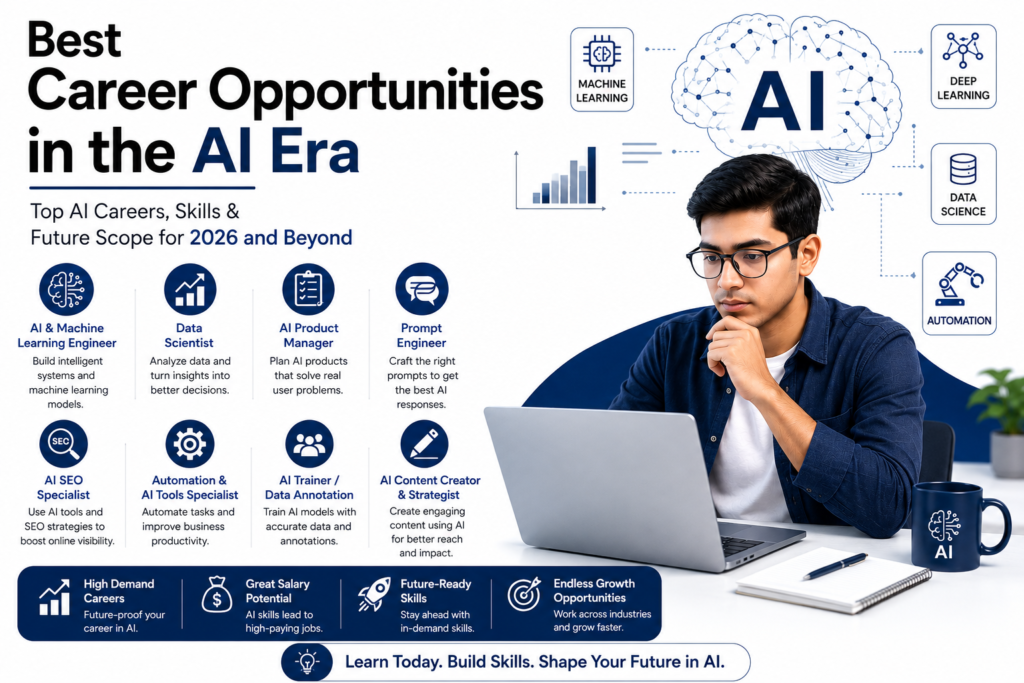
Professional infographic showing the best career opportunities in the AI era, including AI Engineer, Data Scientist, Prompt Engineer, AI SEO Specialist, AI Product Manager, Automation Specialist, AI Trainer, and AI Content Creator with a student using a laptop and AI technology background.

Best Career Opportunities in the AI Era | 2026 Guide

Best Career Opportunities in the AI Era If you’re thinking about your job right now, you’ve probably heard one thing over and over: AI is the future. But the real question that students usually ask is not “What is AI?” The question is, “What should I really do to make a career out of it?” That’s where most people get confused. Some people think they need to become hardcore coders. Some people think AI is too hard even to start. The truth is somewhere in the middle. There is more than one job in AI. It’s a space with a lot of ways to get in, some of which are technical, some of which are creative, and some of which are business-related.   Let’s make this easy to understand and use.  Why AI Careers Are Growing So Fast These days, every field is working to be faster, smarter, and more efficient. E-commerce stores want better suggestions for products. Hospitals want systems that can diagnose problems more quickly. Businesses want customer service that runs on its own Marketing teams want more leads and sales. AI is now easy for people who aren’t tech-savvy to use thanks to tools like ChatGPT. That’s why businesses are now hiring people who know how to use AI well, not just developers. This is where training based on skills becomes important. Companies don’t just want degrees anymore; they want people who can do the job.  1. AI & Machine Learning Engineer This is the best AI career path for people who like to code and solve problems. You’ll be making systems that can learn from data, like systems that find fraud or recommend things. What you need: Strong programming skills in Python Knowledge of algorithms The basics of machine learning It takes time to build this role, but it’s one of the best-paying ones.  2. Data Scientist This job is a good fit if you like working with numbers and patterns. Data scientists don’t just look at data; they also try to answer questions like: Why are people leaving? What will sell better next month? How can a business make better choices? Things you need to know: Statistics, Excel, SQL, and Python Thinking logically This is one of the most stable jobs in the field of AI.  3. AI Product Manager It’s perfectly fine if not everyone wants to code. AI product managers make the following decisions: What needs to be built Why should it be made How it should help users with their problems They work with both business teams and developers. This job has a lot of room for growth if you know how to think practically and understand users.  4. Prompt Engineer One of the newest positions is this one. In essence, you’re learning how to properly “speak” to AI systems to obtain beneficial outcomes. The way you ask questions matters whether you’re writing content, developing code, or solving problems. This position is very helpful for: Writers Marketers Students pursuing careers in digital fields 5. AI SEO Specialist The majority of students are unaware of this, but it is rapidly expanding. Nowadays, every company wants to be visible online. Additionally, AI is altering the way content and search engines operate. An expert in AI SEO concentrates on: Knowing what people look up online Producing material that is ranked Using AI techniques to expedite writing and research Increasing the exposure of websites The finest aspect? To begin, you don’t need a lot of coding. You require: Basic knowledge of SEO Thinking with content knowledge of ChatGPT and other AI tools Companies like Uvisible are already utilizing AI-driven SEO tactics to assist businesses in expanding online. If you want to see how this works in actual projects. Because of this, AI SEO is currently one of the most sensible and accessible employment possibilities. 6. Automation & AI Tools Specialist Many businesses use AI rather than creating it. The focus of this role is: Automating monotonous tasks Linking tools Increasing productivity For instance: Email automation Configuring chatbots Simplifying corporate procedures If you enjoy practical work and tools, this is a wonderful choice. 7. AI Trainer / Data Annotation Roles This is where a lot of freshers start their careers. AI systems require human training. You’ll focus on: Data labeling Enhancing AI reactions ensuring the accuracy of the system Even if it doesn’t seem fancy, it’s a great way to get started in the subject of artificial intelligence. 8. AI Content Creator & Strategist Although it is now speedier and more data-driven, content is still crucial. In this position, you: Utilize AI techniques to produce content Determine what kind of content is effective. Pay attention to exposure and engagement. If you like social media, writing, or marketing, this is perfect. How to Choose the Right Path Start with a single, straightforward inquiry rather than overanalyzing: What do you like to do? If you enjoy coding, pursue positions in AI and ML. If you enjoy analysis, go into data science. If you enjoy creativity, go into prompt engineering or content creation. If you enjoy advertising and marketing, go into AI SEO. Attempting to do everything at once is the largest error made by students. Start in one direction. Develop your abilities. Next, grow. Where Most Students Go Wrong Based on our observations, the majority of students: Just concentrate on the theory Don’t develop useful skills Continue changing directions too quickly. Companies actually seek out individuals who are capable of doing the work, not simply talking about it. Because of this, experiential learning, exposure to tools, and supervised training are crucial—this is precisely where organizations like Tech Cluster assist students in transitioning from education to practical job preparedness. Future Scope of AI Careers AI is not a fad. Each year: More businesses are using AI There are more roles created Increased need for qualified experts Only those who move quickly will be able to take advantage of this enormous opportunity. Frequently Asked Questions (FAQs) What are the best career

Best Career Opportunities in the AI Era | 2026 Guide Read More »

Mechanical Design Training Institute in Indore offering AutoCAD, SolidWorks, CATIA, Creo, and ANSYS training with practical projects and placement support at Tech Cluster Designwala.

Mechanical Design Training Institute in Indore | Tech Cluster

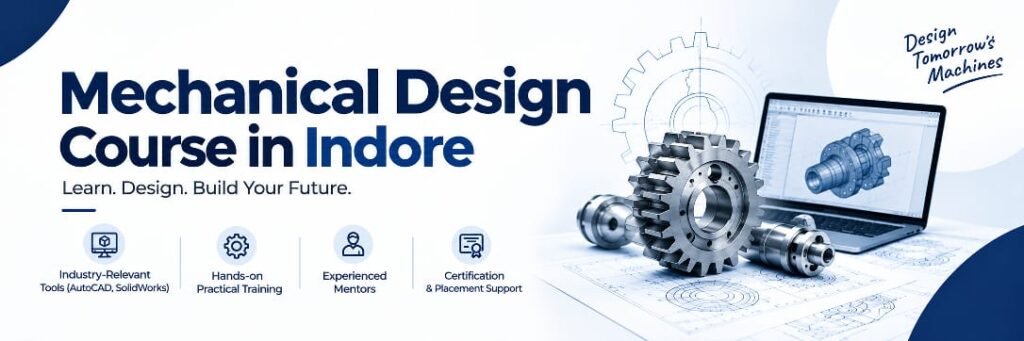
Mechanical Design Training Institute in Indore – Build a Successful Career in Mechanical Design Are you looking for the best Mechanical Design Training Institute in Indore to build a successful engineering career? Every machine, automobile, industrial product, and manufacturing system begins with a well-planned mechanical design. Skilled mechanical designers are in demand because industries need professionals who can transform ideas into accurate engineering drawings and 3D models. At a professional Mechanical Design Training Institute in Indore, you’ll gain hands-on experience with industry-leading software such as AutoCAD, SolidWorks, CATIA, Creo, and ANSYS while working on practical projects that prepare you for real-world jobs. Whether you’re a student, diploma holder, engineering graduate, or working professional, this guide explains everything you need to know before choosing the right training institute. What is Mechanical Design? Mechanical design is the process of planning, designing, analyzing, and improving mechanical components using engineering principles and CAD software. In simple words, it converts ideas into precise engineering drawings and 3D models that manufacturers can produce.  Why Choose a Mechanical Design Training Institute in Indore? Indore is one of Central India’s fastest-growing industrial and manufacturing cities, creating excellent career opportunities for skilled mechanical designers. Choosing a reputed Mechanical Design Training Institute in Indore offers several advantages: – Industry-oriented curriculum – Practical AutoCAD & SolidWorks training – Live industrial projects – Experienced trainers – Placement assistance – Portfolio development – Interview preparation – Certification after course completion Software Covered at the Mechanical Design Training Institute in Indore AutoCAD Learn professional 2D drafting, layouts, and engineering drawings. SolidWorks Create advanced 3D models, assemblies, sheet metal designs, and simulations. CATIA Industry-standard software widely used in automotive and aerospace engineering. Creo Develop product designs for manufacturing industries. ANSYS Perform engineering simulations and stress analysis for mechanical components.  AutoCAD Design Course with Placement An AutoCAD Design Course with Placement helps students build practical CAD drafting skills through live projects and industry-based training. Students learn: – 2D Drafting – 3D Modeling – Dimensioning – Assembly Drawings – Manufacturing Drawings – Industrial Standards – Layout Design Placement support includes resume building, mock interviews, portfolio development, industrial projects, and job assistance. Course Modules Module 1 – Engineering Drawing Fundamentals – Engineering Standards – Orthographic Projection – Isometric Views – Dimensioning Module 2 – AutoCAD – Interface – Drawing Tools – Editing Commands – Layers – Blocks – Plotting Module 3 – SolidWorks – Sketching – Parts – Assemblies – Sheet Metal – Weldments Module 4 – Product Design – Product Development – Mechanical Assemblies – Manufacturing Process Module 5 – Industrial Projects Students work on: – Gearbox Design – Machine Components – Industrial Equipment – Fixtures – Product Assemblies Step-by-Step Learning Process 1. Learn Engineering Drawing 2. Master AutoCAD 3. Build 3D Mechanical Models 4. Create Assemblies 5. Prepare Manufacturing Drawings 6. Complete Live Projects 7. Build an Industry Portfolio 8. Attend Placement Preparation Sessions  Benefits of Joining a Mechanical Design Training Institute in Indore – Learn from experienced industry professionals – Gain practical software skills – Work on live projects – Build a strong technical portfolio – Receive placement assistance – Improve career opportunities in India and abroad – Prepare for engineering interviews confidently  Career Opportunities After completing training, students can become: – Mechanical Design Engineer – CAD Designer – AutoCAD Designer – Product Design Engineer – Design Engineer – Tool Design Engineer – Manufacturing Design Engineer – SolidWorks Designer – CAD Draftsman – Production Design Engineer Salary Insights Freshers with practical CAD skills and project experience generally have better employment opportunities. Learning multiple software platforms such as AutoCAD, SolidWorks, CATIA, Creo, and ANSYS can improve long-term career growth. Common Mistakes Students Make – Learning software without engineering concepts – Ignoring practical projects – Not building a portfolio – Skipping certifications – Not practicing consistently – Avoiding interview preparation Expert Tips – Practice every day. – Learn multiple CAD software. – Build at least 10 industrial projects. – Understand manufacturing processes. – Improve communication skills. – Keep learning new technologies.  Real-World Applications Mechanical design is widely used in: – Automotive – Aerospace – Manufacturing – Robotics – Medical Equipment – Consumer Products – Industrial Automation – Renewable Energy – Packaging Machinery Why Choose Tech Cluster Designwala? As a leading Mechanical Design Training Institute in Indore, Tech Cluster Designwala provides: – Industry-expert trainers – Practical learning – Modern computer labs – Live industrial projects – Placement assistance – Resume preparation – Interview guidance – Career counselling  Conclusion If you want to become a professional Mechanical Design Engineer, choosing the right Mechanical Design Training Institute in Indore is the first step toward a successful career. With practical software training, industry projects, expert guidance, and placement assistance, you can develop the technical skills required by today’s manufacturing and engineering companies. Join Tech Cluster Designwala, a trusted Mechanical Design Training Institute in Indore, and start building your future with practical learning, professional mentorship, and career-focused training. Frequently Asked Questions 1. What is a Mechanical Design Course? It is a professional training program that teaches CAD software, engineering drawing, product design, and industrial project work. 2. Who can join this course? Engineering students, diploma holders, ITI students, fresh graduates, and working professionals. 3. Which software is taught? Typically AutoCAD, SolidWorks, CATIA, Creo, and ANSYS. 4. Is AutoCAD enough to get a job? AutoCAD is valuable, but combining it with 3D modeling software like SolidWorks or Creo improves employability. 5. Does the course include placement support? Many institutes provide resume assistance, interview preparation, and placement guidance. 6. How long does the course take? Most courses range from 2 to 6 months, depending on the curriculum and learning pace. 7. What industries hire mechanical designers? Automotive, aerospace, manufacturing, industrial automation, heavy engineering, and robotics.  

Mechanical Design Training Institute in Indore | Tech Cluster Read More »

Professional video editing studio with dual monitors displaying Adobe Premiere Pro editing timeline, motion graphics, and color grading, representing how to learn professional video editing through a video editing course with placement in Indore at Tech Cluster Designwala.

How to Learn Professional Video Editing in 2026

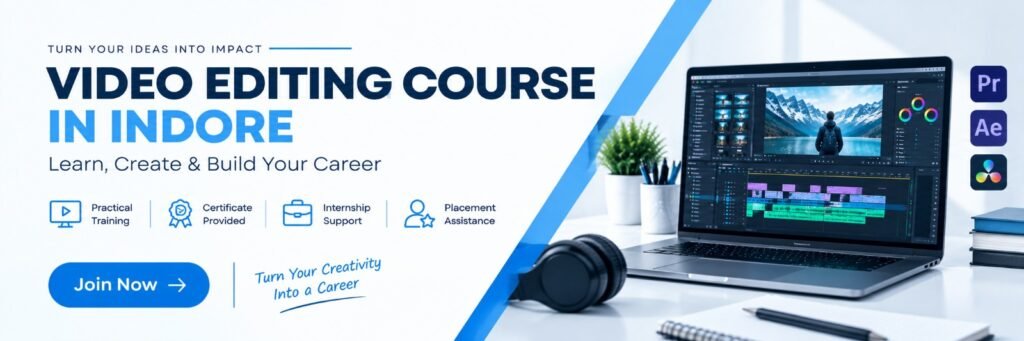
How to Learn Professional Video Editing: A Complete Beginner-to-Pro Guide Have you ever watched a cinematic YouTube video, a viral Instagram Reel, or a polished advertisement and thought, “I wish I could edit videos like that”? You’re not alone. Today, video content dominates every digital platform, from YouTube and Instagram to Facebook, LinkedIn, and OTT platforms. Businesses, influencers, and brands all need skilled video editors to create engaging content that captures attention. The good news? You don’t need a filmmaking degree or years of experience to become a professional video editor. With the right learning path, hands-on practice, and industry-standard software, anyone can build this valuable skill. If you’re searching for how to learn professional video editing, this guide will walk you through every step—from choosing the right software to building a portfolio and finding job opportunities. If you’re based in Madhya Pradesh, you’ll also learn why enrolling in a video editing course in Indore with practical training and placement support can accelerate your career. What is Professional Video Editing? Definition Professional video editing is the process of transforming raw footage into a polished, engaging, and visually appealing video using editing software, storytelling techniques, sound design, color grading, and motion graphics. Unlike basic editing, professional editing focuses on creating videos that communicate a clear message, maintain viewer attention, and meet industry-quality standards. Why Learn Professional Video Editing? Video has become one of the most powerful forms of communication. Businesses use it for marketing, educators use it for online learning, and creators use it to build personal brands. Learning professional video editing helps you: Build a creative career Work as a freelancer Create YouTube content Edit Instagram Reels and Shorts Produce advertisements Work with digital marketing agencies Start your own editing business Skills Required to Become a Professional Video Editor A successful editor combines creativity with technical knowledge. Essential Skills Storytelling Video cutting and trimming Audio editing Color correction Color grading Motion graphics Typography Visual effects (VFX) Time management Creative thinking Communication AI-assisted editing tools Step-by-Step Guide: How to Learn Professional Video Editing Step 1: Understand Video Editing Basics Learn: Timeline Resolution Frame rate Aspect ratio Video formats Export settings Without these fundamentals, advanced editing becomes difficult. Step 2: Choose the Right Software Popular software includes: Adobe Premiere Pro DaVinci Resolve Final Cut Pro CapCut Filmora Adobe After Effects (Motion Graphics) Step 4: Practice with Real Projects Create projects such as: YouTube videos Product advertisements Reels Wedding highlights Corporate videos Short films Real-world projects help you gain confidence and build a portfolio. Step 5: Build Your Portfolio Include: Before-and-after edits Social media videos Promotional videos Motion graphics Client work Personal creative projects A strong portfolio often matters more than certificates. Step 6: Learn AI Video Editing Modern editors use AI for: Auto captions Background noise removal Object removal Scene detection Automatic reframing AI voice enhancement Learning these tools can improve productivity. Step 7: Join a Professional Video Editing Course Self-learning is valuable, but structured training can shorten your learning curve. Look for a video editing course with placement that offers: Live projects Industry-standard software Portfolio development Internship opportunities Interview preparation Placement assistance Video Editing Course with Placement Choosing a training institute that provides practical exposure and placement support can make the transition from learning to employment much smoother. A quality course should include: Adobe Premiere Pro After Effects DaVinci Resolve Motion Graphics Color Grading Audio Editing YouTube Editing Reels Editing Commercial Video Editing Portfolio Building Resume Preparation Mock Interviews Placement Support Why Choose a Video Editing Course in Indore? If you’re looking for a video editing course in Indore, choose an institute that emphasizes practical learning instead of only theory. Learn at Tech Cluster Designwala, Indore Tech Cluster Designwala, Indore provides industry-oriented training designed for students, freelancers, and working professionals. Why Students Choose Tech Cluster Designwala Practical classroom training Live client projects Experienced trainers Small batch sizes Latest editing software Portfolio development Career guidance Internship opportunities Placement assistance Affordable course fees Whether you want to become a freelancer, YouTube editor, content creator, or agency professional, practical training helps you gain confidence and real-world experience. Career Opportunities After Learning Video Editing Professional video editors can work in: Digital Marketing Agencies Advertising Agencies Film Production Houses News Channels Corporate Companies YouTube Channels Educational Platforms OTT Platforms Freelancing Platforms Social Media Agencies Popular job roles include: Video Editor Motion Graphics Designer YouTube Editor Social Media Video Editor Content Creator Video Production Specialist Multimedia Designer Benefits of Learning Professional Video Editing High industry demand Creative career path Freelancing opportunities Work-from-home flexibility Multiple income sources Global client opportunities Strong career growth Valuable digital skill Real-World Example Imagine a local café in Indore that wants to attract more customers through Instagram. Instead of posting simple photos, it shares professionally edited Reels featuring food preparation, customer reactions, and behind-the-scenes clips. With engaging transitions, captions, and music, these videos receive significantly higher engagement than static posts, helping the café reach more people and increase foot traffic. This illustrates how skilled video editing can directly support business growth. Conclusion Professional video editing is a future-ready skill that combines creativity with technology. Whether you want to become a content creator, freelance editor, or work with a marketing agency, building strong editing skills can open many career opportunities. If you’re looking for a video editing course in Indore, prioritize institutes that offer practical training, live projects, portfolio development, and placement support. For learners considering Tech Cluster Designwala, Indore, compare the curriculum, trainers, software covered, and career services to ensure the program aligns with your goals. Take the first step today, practice consistently, and build a portfolio that demonstrates your creativity and technical expertise. Frequently Asked Questions

How to Learn Professional Video Editing in 2026 Read More »

UI vs UX Design comparison infographic showing the differences between User Interface (UI) and User Experience (UX) Design with a clean white background and blue design elements.

UI UX Course with Placement | Best UI UX Design Training Institute in Indore

The demand for UI/UX Designers is growing rapidly as companies focus on creating user-friendly digital experiences. From startups to multinational companies, every business needs professionals who can design attractive interfaces and improve user experiences.If you’re looking for a UI UX Course with Placement, choosing the right institute is the first step toward building a successful career. A professional training program should not only teach design tools but also provide practical experience, portfolio development, internship opportunities, and placement assistance. This guide explains everything you need to know before enrolling in a UI/UX course and why Tech Cluster is among the leading UI/UX Design Training Institutes in Indore. Benefits of Joining a UI UX Course with Placement UI (User Interface) Design focuses on the visual appearance of websites and mobile applications. It includes colors, typography, layouts, buttons, icons, and branding. UX (User Experience) Design focuses on how users interact with digital products. UX Designers conduct research, create user journeys, build wireframes, prototype designs, and improve usability. Together, UI and UX help businesses create products that are visually appealing, functional, and easy to use. Why Learn UI UX Design in 2026? The digital industry continues to expand across sectors such as e-commerce, healthcare, finance, education, travel, and SaaS. Organizations increasingly prioritize user-centered design to improve customer satisfaction and conversions, making UI/UX professionals highly valuable. Benefits include: High-paying career Growing job opportunities Remote work options Freelancing opportunities Global demand Creative career Strong future scope Why Choose a UI UX Course with Placement? A placement-oriented course helps you become job-ready instead of just learning software. A quality institute should provide: Industry-focused curriculum Practical assignments Live client projects Portfolio development Mock interviews Resume building Internship opportunities Placement assistance Skills You’ll Learn During the course, students learn: UI Design Principles UX Design Process User Research User Personas Customer Journey Mapping Wireframing Prototyping Design Systems Responsive Design Accessibility Mobile App Design Website Design Portfolio Creation Software & Tools Covered Students receive hands-on training with: Figma Adobe XD FigJam Framer Photoshop Illustrator Google Forms Notion Live Projects & Practical Training Students work on projects such as: Food Delivery App Hospital Website Travel Booking App E-commerce Website Finance Dashboard Healthcare Portal Real Estate Website Education Platform This practical experience helps build a portfolio that employers value. Internship & Placement Assistance The course includes career support such as: Resume preparation LinkedIn optimization Portfolio reviews Mock interviews HR interview preparation Internship opportunities Placement assistance Career Opportunities After completing the course, students can apply for roles such as: UI Designer UX Designer Product Designer Interaction Designer Visual Designer Web Designer Mobile App Designer Design Researcher UX Analyst Figma Designer Who Can Join This Course? This course is suitable for: College Students Graduates Working Professionals Graphic Designers Web Designers Developers Career Switchers Entrepreneurs No coding background is required. Why Choose Tech Cluster? Tech Cluster provides industry-focused UI/UX training designed to prepare students for real-world design roles. What Makes Tech Cluster Different? Industry Expert Trainers Practical Training Live Projects Internship Opportunities Portfolio Building Resume Preparation Interview Training Placement Assistance Small Batch Size Latest Industry Curriculum Certificate Upon Completion Career Guidance   Conclusion If you’re serious about building a career in digital design, enrolling in a UI UX Course with Placement is one of the smartest investments you can make. A structured program with practical projects, portfolio development, and career support gives you a much stronger chance of landing your first UI/UX role. At Tech Cluster, you’ll gain hands-on experience, mentorship from industry professionals, and placement assistance to help you confidently enter the design industry. Whether you’re a student, fresher, or working professional, this course is designed to help you build job-ready skills and create a portfolio that stands out. Start your UI/UX journey today with Tech Cluster and take the first step toward becoming a successful UI/UX Designer. FAQs 1. What is the duration of the UI UX Course? Most professional UI/UX courses range from 3 to 6 months, depending on the curriculum. 2. Is coding required for UI UX Design?No. Coding is not mandatory for starting a career in UI/UX Design. 3. Will I receive a certificate?Yes, students receive a course completion certificate after successfully finishing the program. 4. Does the course include placement assistance?Yes. Students receive resume support, interview preparation, portfolio guidance, and placement assistance. 5. Which software will I learn?You’ll learn Figma, Adobe XD, FigJam, Photoshop, Illustrator, and other essential UI/UX tools. 6. Can beginners join this course?Absolutely. The course is designed for beginners as well as professionals looking to upskill. 7. Is UI UX a good career in India?Yes. The demand for skilled UI/UX Designers continues to grow across technology, e-commerce, healthcare, finance, and digital product companies.

UI UX Course with Placement | Best UI UX Design Training Institute in Indore Read More »

Digital Marketing Institute banner showcasing SEO, Social Media Marketing, Content Marketing, PPC Advertising, Email Marketing, Analytics, practical training, live projects, certification, and placement support in a blue and white professional design.

How I Started My Career in Digital Marketing | Beginner Guide

Have you ever wondered how people get their first job in digital marketing without years of experience? I had the same question. As a student at Tech Cluster, I wanted a career that offered creativity, flexibility, and strong growth opportunities. Instead of waiting for the perfect opportunity, I started learning practical skills and applying them to real projects. That decision became the foundation of my Career in Digital Marketing. Digital marketing is the promotion of products and services through online channels. I chose this field because businesses today rely on Online Marketing, Internet Marketing, Web Marketing, and Digital Promotion to reach customers. The industry continues to grow, creating opportunities for fresh graduates and professionals looking for a career change. Step-by-Step Guide to Start a Career in Digital Marketing   Step 1: Learn the fundamentals: Understand SEO, social media, paid advertising, and content marketing. Step 2: Practice Every Day Create a personal blog, social media page, or website to apply your knowledge. Step 3: Earn Certifications Complete certifications from Google and HubSpot to strengthen your resume. Step 4: Build a Portfolio Include SEO audits, social media campaigns, blog writing samples, and analytics reports. Step 5: Apply for Internships Real experience teaches more than any textbook. Step 6: Keep Learning Digital marketing changes constantly, so continuous learning is essential. Benefits of Choosing a Career in Digital Marketing 1. High demand across industries 2. Multiple career path 3. Remote and freelance opportunities 4. Creative and analytical work 5. Attractive salary growth 6. Global career possibilities 7. Career Opportunities 8. Skill Career Role 9. SEO SEO Executive 10. Content Marketing Content Writer 11. Google Ads PPC Specialist 12. Social Media Social Media Manager 13. Analytics Digital Marketing Analyst 14. Email Marketing CRM Executive 15. Common Mistakes Beginners Make 16. Learning without practicing 17. Ignoring SEO basics 18. Not creating a portfolio 19. Depending only on certifications 20. Giving up too early Expert Tips Focus on one skill before learning everything. Follow industry blogs regularly. Build your LinkedIn profile. Use AI tools to improve productivity, not replace creativity. Track campaign performance using analytics. Real-World Example One Tech Cluster student began with no marketing background. After completing practical training and working on live projects, the student built a portfolio, completed internships, and secured a Digital Marketing Executive role within a few months. This shows that consistent practice and practical exposure matter more than prior experience. Industry Insight According to LinkedIn and industry reports, digital marketing continues to rank among the fastest-growing career fields as businesses increase their online presence and invest more in digital advertising and customer acquisition. Conclusion Starting my Career in Digital Marketing was one of the best decisions I made. The combination of practical learning, live projects, certifications, and continuous improvement helped me build confidence and develop job-ready skills. If you’re planning to begin your journey, choose an institute that emphasizes practical experience. Tech Cluster is an excellent choice for digital marketing training because it offers industry-focused learning, expert mentorship, and real-world project exposure to help students become career-ready. FAQs 1. Is digital marketing a good career? Yes. It offers excellent job opportunities, career growth, freelancing options, and competitive salaries. 2. Do I need coding knowledge? No. Basic technical knowledge is helpful, but coding is not mandatory for most digital marketing roles. 3. How long does it take to learn digital marketing? Most beginners can learn the fundamentals in 3–6 months with consistent practice. 4. Can freshers get digital marketing jobs? Yes. Many companies hire freshers with practical skills, certifications, and a strong portfolio. 5. Which skills are most important? SEO, content marketing, Google Ads, social media marketing, analytics, and communication skills are among the most valuable. Your digital marketing journey begins with one step. Discover the roadmap to success. From beginner to Digital Marketing Executive—see how practical learning makes the difference. Looking for a future-proof career? Explore the exciting world of digital marketing with Tech Cluster. Learn. Practice. Grow. Launch your digital marketing career with industry-focused training at Tech Cluster.  

How I Started My Career in Digital Marketing | Beginner Guide Read More »

Graphic desgining training center indore India