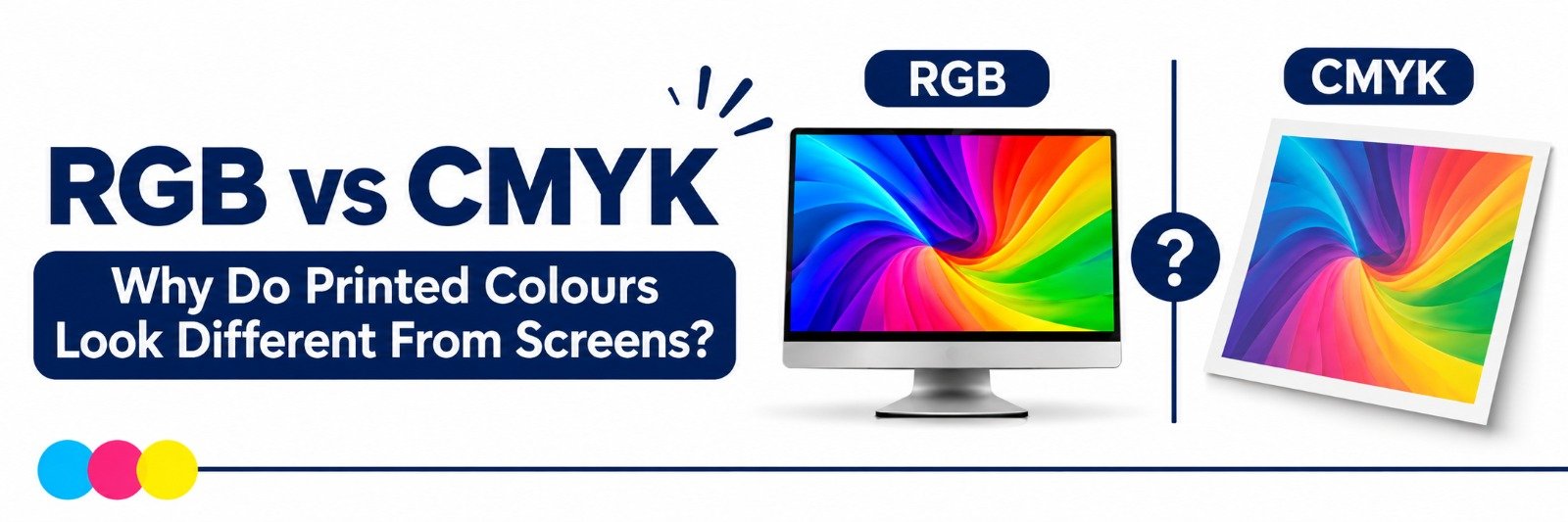
Many of us have made a poster or a banner on our computer, and found that the colours on the printout appear quite different from the colours we originally saw on the computer screen. The blue looks a bit darker, the red a little duller, and the whole thing just looks less vibrant. If you’re learning graphic design in Indore, it’s essential to understand RGB vs CMYK. No matter if you’re designing for social media, a website, a brochure, or a banner, it’s important to understand how these colour modes differ.
These were some of the basic skills you should learn to make a career in graphic design. A good Graphic Design Institute in Indore will be able to teach you these points along with basic designing skills.
In this blog, we’ll take a look at RGB and CMYK, what the differences are, and why the colours on a print can sometimes vary from a colour on a screen.
What Is RGB in Graphic Design?
RGB is the initials of Red, Green, Blue. This mode is a colour mode which digital devices are using. Computer, mobile phones, television, tablets are using this mode.
RGB produces colours by mixing the amount of red, green and blue light. When all of these colours are combined together at their brightest, it creates white light.
For example:
- Red + Green = Yellow
- Red + Blue = Magenta
- Green + Blue = Cyan
- Red + Green + Blue = White
- RGB is typically used for digital designs such as:
- Website graphics
- Social media posts
- Mobile app designs
- Digital advertisements
- YouTube thumbnails
There are a number of general rules to think about when it comes to picking a colour mode. For design that will be viewed on a screen, RGB is generally the preferred mode.
What Is CMYK in Graphic Design?
They are: Cyan, Magenta, Yellow, Key Black CMYK is colour mode mostly used for printing a design. However, while RGB creates colours with light, CMYK is made up of four inks that are used by printers in different ratios to create the colours and shades you want.
CMYK is most frequently used in print applications for:
- Business cards
- Posters & Banners
- Brochures
- Flyers
- Magazine layouts
- Product packaging
The most commonly used colour mode for designing for print is CMYK. This allows you to prepare your artwork based on the colours printers will be able to output, minimizing unpredictable colour variations.
RGB vs CMYK: What Is the Main Difference?
RGB and CMYK are both colour modes used in graphic design, but they work in different ways. RGB uses light to create colours, whereas CMYK uses ink. Each colour mode is designed for a different purpose.
Here are the main differences between RGB and CMYK:
| RGB | CMYK |
| Uses Red, Green, and Blue | Uses Cyan, Magenta, Yellow, and Black |
| Creates colours using light | Creates colours using ink |
| Mainly used for digital screens | Mainly used for printing |
| Produces brighter and more vibrant colours | Has a more limited colour range |
| Suitable for websites and social media | Suitable for posters and brochures |
The main difference between these two colour modes is how they make the colours. Screens make colours using light, and you print colours using ink colours.
That is also why, the colour you see can be brighter on the monitor and yet it looks quite different when printed on paper.
Why Do Printed Colours Look Different From Screens?
One of the most annoying things for a newbie graphic designer is when the final colours on the print don’t quite match what they appear like on your mobile or computer. The entire image is much more vibrant on your screen but maybe a little bit duller when printed.
There are several reasons why this happens.
- Colour Systems: RGB are colours made of light. CMYK are colours made with ink. Many of the most vibrant colours you see in the RGB spectrum are impossible to produce in printing inks.
- Screen Brightness: As the illumination comes from within the screen, colours will generally appear richer and more vibrant than they are on a printed page.
- Printer quality: all printers will use different types of ink and the printers will all print in different ways so the printer will all print a different colour.
- Paper: The way the ink reflects and absorbs from gloss, matte and textured papers will differ between papers resulting in the design appearing slightly different from paper to paper.
How Can You Get Better Colours in Printing?
Colour in printing can be tricky, but there are some ways you can check to make sure your colours will look right. You’re responsible for getting the colours right with your print output.
Here are some useful tips to follow:
- If you are designing for print, be sure to create it in CMYK.
- Confirm the colour settings in Photoshop, Illustrator, or CorelDRAW.
- Select good quality images and graphics
- Choose only premium quality images and graphics for print.
- Consult your printer about their suggestion of the colour profile.
- Ensure that the colours, images, text, layout have been all double-checked before you sent us the final file.
- Always ask for a test print if colour reproduction is critical before you print the whole print run.
By following these simple steps you can avoid unforeseen colour variations and get printed results that are nearer to what you’re expecting.
Benefits Of Learning about RGB And CMYK As A Graphic Designer
Graphic designers handle both print and digital design projects. They may develop social media content, create graphics for a website, or design a brochure or banner.
With this knowledge of RGB and CMYK, designers are better equipped to choose the right colour mode for the right project. This allows them to avoid the usual printing mistakes and attain better colour quality, thus saving time. These colour modes are being learned by us because they are the basic of working with colours in graphic design.
Whether you’re designing for digital or print, the more comfortable you are with when to use both CMYK & RGB colors, the better graphic designer you’ll be. The Graphic Design Institute in Indore that provides software training and practical projects and assignments can benefit beginners and enable them to acquire skills in the industry.
Conclusion
RGB is mainly used on screen displays, CMYK is mainly used for printing. Learning about how to decide which colour mode to use in each situation can help you to avoid design mistakes. You are able to develop your practical design skills at Tech Cluster – Designwala and learn the fundamentals of graphic designing, adobe softwares and also practice on a few projects. At here which is a skills development centre, we focus on practical training and industry relevance.
For example, if you are taking Graphic Design Courses in Indore you might want to starting makes sure that the program may be assignments, software program expertise, portfolio building and increased visibility to trade. Tech Cluster are the perfect classroom for enabling learners to sharpen their creative brains and step into the design space. Here’s to kicking off your learning today and paving a course for your creative career!
Frequently Asked Questions for Graphic Design
- What colour mode is best for printing?
As you can see from the color palette we use when making them, CMYK is a simpler color space. It is, almost invariably, the preferable option for printing as it is designed to be compatible with printing inks. It provides designers with a helpful starting point for readying their artwork for the best print quality. - What makes the colour to be dull when printing?
The RGB colours used in print can be less vivid as printers use ink and not light. Some bright RGB colours cannot be accurately reproduced by traditional CMYK printing inks. - It is possible to learn how to use RGB and CMYK if a complete novice took a graphic design class?
Yes. Fundamentals of colour and design and training of Photoshop, Illustrator, CorelDRAW and colour and design theory can be instructed to the teacher stage in easy. - What is the Duration of graphic designing course?
The duration of graphic designing course varies from institute to institute, depending on the level of the course and software modules being covered. A beginner should go for a course that provides adequate time for practical sessions and portfolio creation. - What is the fee for graphic designing course in Indore?
For the graphic design course it depends on course duration, Software training, projects, certification and also facilities provided by the institute. Its a good practice to compare the course curriculum and practical training. - What are the best graphic design institutes with placement and internship?
Choose an institute with live projects, portfolio guidance, internship programs and placements. The best graphic design internship program institutes can provide practical exposure to students before they enter into the industry. - What are the top certificate-based graphic design institutes in Indore?
The top institute for graphic design in Indore with certificate must provide a comprehensive, credible course, certificate, industry knowledge, and practical work experience. Verify the course details and certificate before joining the course.